
1. What Is a ZAGG InvisibleShield Screen Protector?
ZAGG InvisibleShield screen protectors are among the most popular options for protecting your device’s screen. Known for their durability and clarity, these tempered glass protectors are designed to shield your phone or tablet from scratches, cracks, and everyday wear and tear.The InvisibleShield lineup includes options for various devices, including Apple® iPhone® 6 and 6s, as well as newer models. They are made with advanced materials that resist impact and scratches while maintaining the touch sensitivity of your screen.Fun Fact: ZAGG was one of the first companies to introduce military-grade screen protectors, originally inspired by helicopter blade protection.
2. Why Would You Need to Remove a Screen Protector?
There are several reasons why you might need to remove your ZAGG InvisibleShield screen protector:- Cracks or Damage: Over time, even the toughest tempered glass can crack or chip, especially after a drop.
- Upgrading Devices: If you’re switching to a new phone or tablet, you’ll need to remove the old screen protector.
- Improper Application: Sometimes, air bubbles or misalignment during installation can make it necessary to reapply the protector.
- Wear and Tear: Over time, the edges of the screen protector may lift, or the surface may become scratched.
3. Can You Reuse a ZAGG InvisibleShield Screen Protector?
The short answer is no. Once a tempered glass screen protector is removed, it loses its adhesive properties and structural integrity. Attempting to reuse it can result in poor adhesion, reduced protection, and an increased risk of damage to your device.However, ZAGG offers a lifetime replacement warranty for many of its InvisibleShield products. If your screen protector is damaged, you can request a replacement for a small shipping fee.4. What Tools Do You Need to Remove a Glass Screen Protector?
Before you begin, gather the following tools to make the removal process easier and safer:ToolPurposePlastic Card (e.g., credit card)To gently lift the edges of the screen protector without scratching the screen.Hairdryer (optional)To loosen the adhesive by applying gentle heat.Microfiber ClothTo clean the screen after removal.Isopropyl Alcohol (optional)To remove any adhesive residue left behind.
Pro Tip: Avoid using sharp objects like knives or metal tools, as they can scratch your screen or damage the device.

5. Step-by-Step Guide to Removing a ZAGG InvisibleShield Screen Protector
Follow these steps to safely remove your ZAGG InvisibleShield screen protector:- Start at the Corners: Use your fingernail or a plastic card to gently lift one corner of the screen protector. Be patient and avoid applying too much force.
- Work Slowly: Once the corner is lifted, slide the plastic card along the edge to gradually separate the screen protector from the device.
- Apply Heat (Optional): If the adhesive is stubborn, use a hairdryer on a low setting to warm the screen protector for 15-20 seconds. This will loosen the adhesive.
- Peel Off the Protector: Slowly peel the screen protector away from the screen, keeping it at a low angle to avoid snapping it.
- Clean the Screen: Use a microfiber cloth to remove any dust or residue. If adhesive remains, dampen the cloth with isopropyl alcohol and gently wipe the screen.
6. How to Remove a Cracked Tempered Glass Screen Protector Safely
Removing a cracked screen protector requires extra care to avoid injury or further damage to your device. Here’s how:- Tape the Surface: Place a layer of clear tape over the cracked screen protector to prevent glass shards from falling off.
- Lift the Edges: Use a plastic card to lift the edges, as described in the previous section.
- Peel Slowly: Work slowly to avoid breaking the glass further. If the protector is severely damaged, consider seeking professional help.
Safety Tip: Always wear gloves when handling cracked tempered glass to protect your hands from sharp edges.
7. What to Do If the Screen Protector Leaves Residue?
Sometimes, adhesive residue can remain on your screen after removing the protector. Here’s how to clean it:- Use Isopropyl Alcohol: Dampen a microfiber cloth with isopropyl alcohol and gently rub the residue until it dissolves.
- Évitez les produits chimiques agressifs : Do not use abrasive cleaners or solvents, as they can damage your screen.
- Polish the Screen: Once the residue is gone, use a dry microfiber cloth to polish the screen to a shine.
8. How to Apply a New ZAGG InvisibleShield Screen Protector
After removing the old screen protector, you may want to apply a new one. Follow these steps for a flawless installation:- Clean the Screen: Use a microfiber cloth and isopropyl alcohol to remove dust and fingerprints.
- Align the Protector: Carefully align the new screen protector with your device’s screen, ensuring the cutouts match the camera and sensors.
- Apply and Smooth: Press the center of the screen protector and let the adhesive spread. Use a squeegee or card to remove air bubbles.
Pro Tip: Work in a dust-free environment to avoid trapping particles under the screen protector.
9. Tips for Maintaining Your Glass Screen Protector
To extend the life of your ZAGG InvisibleShield screen protector, follow these tips:- Avoid Dropping Your Device: While the screen protector is durable, repeated drops can weaken it.
- Nettoyer régulièrement : Utilisez un chiffon en microfibre pour éliminer les taches et les traces de doigts.
- Replace When Necessary: If the protector becomes scratched or cracked, replace it promptly to maintain optimal protection.
10. FAQs About ZAGG InvisibleShield Screen Protectors
Q: Can I remove and reapply my ZAGG InvisibleShield screen protector? A: No, once removed, the adhesive loses its effectiveness, and the protector cannot be reapplied.Q: How do I claim a replacement under ZAGG’s warranty? A: Visit ZAGG’s website, register your product, and follow the instructions to request a replacement.Q: Will removing the screen protector damage my phone? A: No, as long as you follow the proper removal steps, your phone will remain undamaged.

Les dernières innovations en matière de machines à découper les protections d'écran
Le développement des machines à découper les protections d'écran s'inscrit dans l'histoire plus large de l'automatisation et de la technologie des matériaux.
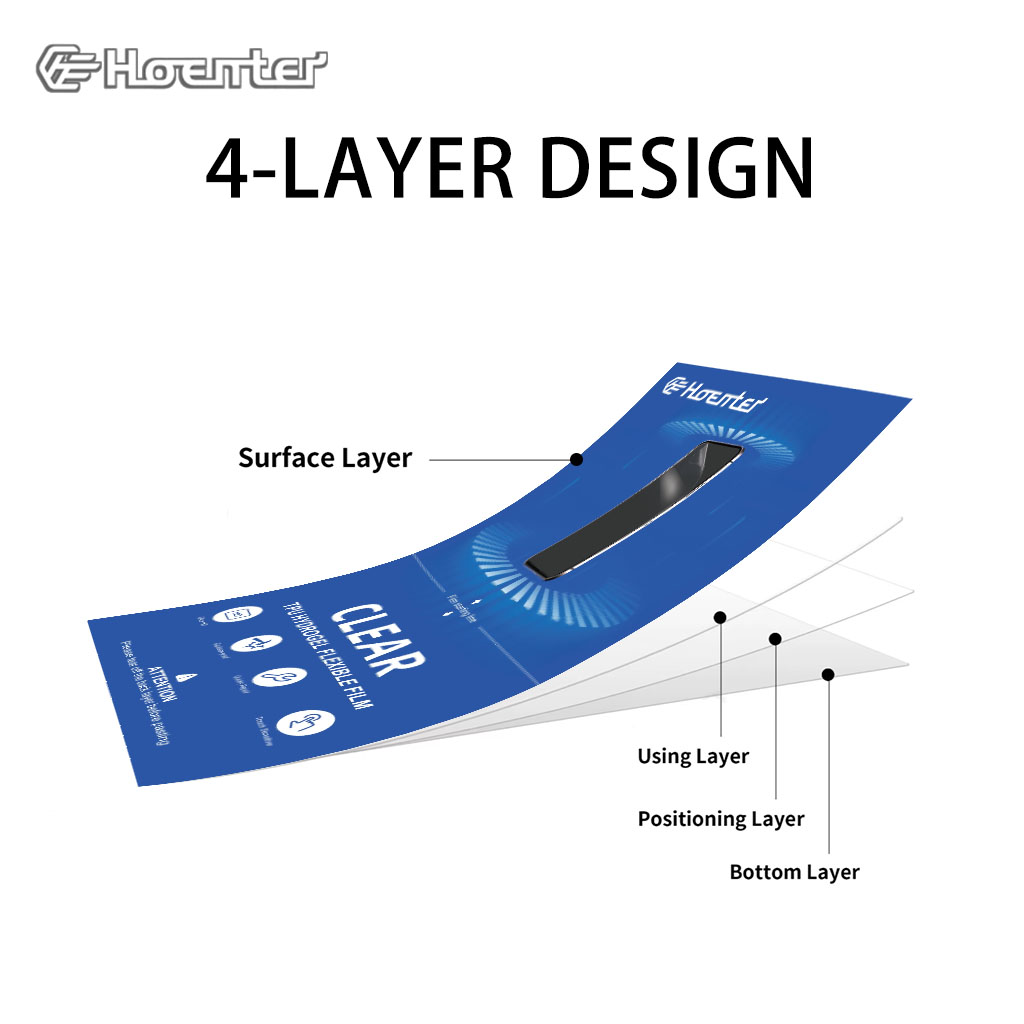
Matte Blue Light Blocking Film Protector
Get superior protection with our Matte Blue Light Blocking Film. Features a matte finish, anti-glare, and fingerprint resistance.
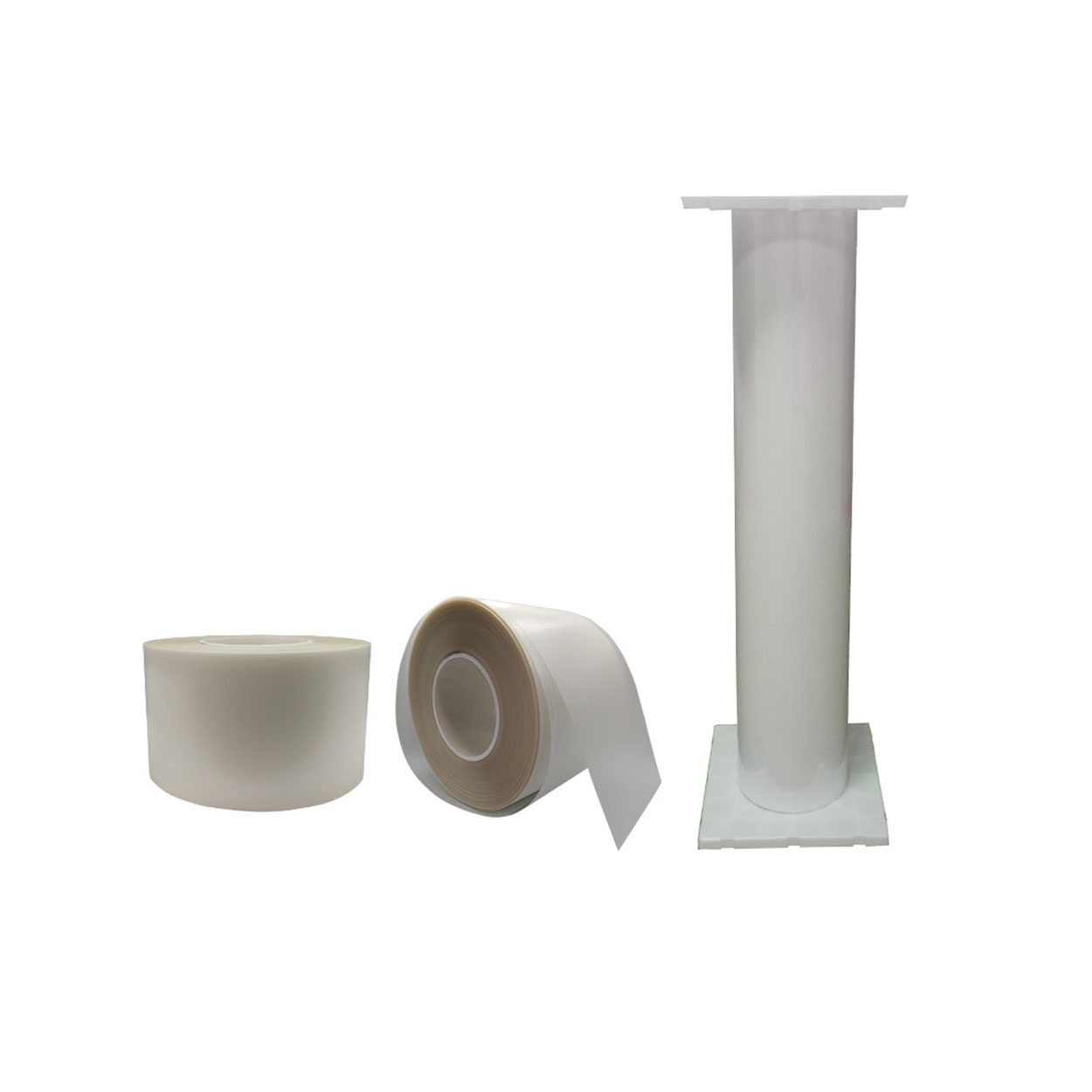
Wholesale Screen Protector Flexible Hydrogel TPU Film Roll
Le film de polyuréthane thermoplastique (TPU) s'est imposé comme un matériau très polyvalent, offrant des avantages distincts par rapport aux films plastiques conventionnels tels que le chlorure de polyvinyle (PVC). Ses caractéristiques exceptionnelles ont fait du TPU un choix incontournable dans des secteurs tels que l'automobile, l'habillement, l'électronique et les applications médicales.
Does a Screen Protector Work Well?
Screen protectors offer valuable protection for your smartphone, helping to prevent scratches, cracks, and other damage.
Are Paperlike Screen Protectors Protective?
By carefully considering your priorities, you can make an informed decision and elevate your iPad experience to the next level.

Quelles sont les machines de découpe de films et leurs applications ?
Les machines de découpe de films ont joué un rôle crucial dans l'évolution de la production cinématographique et de divers processus industriels en permettant une découpe et une jonction précises des matériaux cinématographiques.

Qu'est-ce qu'une machine à découper les protections d'écran ?
Une machine à découper les protections d'écran est un appareil spécialisé conçu pour produire des protections d'écran sur mesure pour divers appareils électroniques, notamment les smartphones, les tablettes, les smartwatches, les ordinateurs portables et les moniteurs.

Comment fonctionne la machine à découper les protections d'écran de téléphone portable?
Une machine à découper les protections d'écran de téléphone portable est un appareil sophistiqué conçu pour
produire des protections d'écran personnalisées pour divers appareils numériques avec un haut degré de précision.
et l'efficacité.

Caractéristiques du verre trempé et du protecteur d'écran TPU pour téléphones portables
Les protections d'écran en polyuréthane thermoplastique (TPU) sont flexibles, durables et
films plastiques auto-cicatrisants conçus pour protéger les écrans d'appareils électroniques contre la corrosion.
les rayures, les impacts et autres dommages potentiels.

Révolutionner la protection des appareils grâce à la machine à découper les écrans de protection
Que vous possédiez un smartphone, une tablette ou une smartwatch, cette machine polyvalente s'adapte à un large éventail d'appareils. Il s'adapte parfaitement aux dimensions de votre gadget, offrant un ajustement personnalisé que les protecteurs génériques ne peuvent égaler.

Garantie à vie du protecteur d'écran
La garantie à vie d'un protecteur d'écran est une garantie fournie par les fabricants.
s'engage à réparer ou à remplacer un protecteur d'écran pendant toute la durée de vie du produit, selon des conditions spécifiques.
