
1. What Is a Paperlike Screen Protector and Why Does It Need Special Care?
A Paperlike screen protector is a matte-textured film designed to mimic the feel of paper when using an Apple Pencil or stylus on an iPad. It’s a favorite among digital artists, note-takers, and professionals because it enhances precision and reduces glare. However, its unique texture requires special care during cleaning.Unlike glossy screen protectors, the matte surface of a Paperlike screen protector can trap dirt, oils, and smudges more easily. Cleaning it improperly can lead to scratches, reduced functionality, or even peeling. That’s why it’s crucial to use the right tools and techniques.
2. How Often Should You Clean Your Paperlike Screen Protector?
The frequency of cleaning depends on how often you use your iPad and the environment in which you use it. Here are some general guidelines:- Daily Users: If you use your iPad for drawing or note-taking every day, clean your screen protector at least once a week.
- Occasional Users: For light use, cleaning every two weeks should suffice.
- After Heavy Use: If you’ve been using your iPad in dusty or oily environments, clean it immediately after use.
3. What Tools Do You Need to Clean a Paperlike Screen Protector?
To clean your Paperlike screen protector effectively, you’ll need the following tools:- 극세사 천: A soft, lint-free cloth is essential for wiping away dirt and smudges without scratching the surface.
- Cleaning Solution: Use a gentle, alcohol-free cleaning solution specifically designed for electronics.
- Spray Bottle: A refillable spray bottle allows you to apply the cleaning solution evenly.
- All-in-One Cleaning Kit: These kits often include a microfiber cloth, cleaning spray, and other tools for convenience.
4. Can You Use Regular Cleaning Solutions on a Paperlike Screen Protector?
No, you should avoid using regular household cleaning solutions on your Paperlike screen protector. Many of these products contain harsh chemicals like ammonia or alcohol, which can degrade the matte texture and leave streaks.Instead, opt for a cleaning solution specifically designed for electronics. These solutions are gentle, alcohol-free, and safe for use on matte surfaces. If you don’t have a specialized cleaner, you can make a DIY solution by mixing distilled water with a small amount of white vinegar.5. Step-by-Step Guide: How to Clean Your Paperlike Screen Protector
Follow these steps to clean your Paperlike screen protector safely and effectively:- Turn Off Your iPad: Always power down your device before cleaning to avoid accidental inputs.
- Remove Dust and Debris: Use a dry microfiber cloth to gently wipe away loose particles.
- Apply Cleaning Solution: Spray a small amount of cleaning solution onto the microfiber cloth (never directly onto the screen).
- Wipe the Screen: Gently clean the screen in circular motions, focusing on smudges and fingerprints.
- 화면 건조: Use a dry section of the microfiber cloth to remove any remaining moisture.

6. What Are the Best Cleaning Kits for Paperlike Screen Protectors?
Here are some of the top-rated cleaning kits for Paperlike screen protectors:Cleaning Kit특징가격 범위Paperlike Cleaning KitIncludes microfiber cloth and cleaning spray$15-$20WHOOSH! Screen CleanerAlcohol-free, safe for all screens$10-$15iKlear Cleaning KitAll-in-one kit with spray and cloths$20-$25
These kits are designed to be gentle on matte surfaces and provide everything you need for a thorough cleaning.7. How to Avoid Scratches and Damage While Cleaning
Scratches can ruin the smooth, paper-like feel of your screen protector. Here’s how to avoid them:- Use a Clean Cloth: Always use a fresh, clean microfiber cloth to prevent transferring dirt or debris.
- Avoid Abrasive Materials: Never use paper towels, tissues, or rough fabrics.
- Be Gentle: Apply light pressure when cleaning to avoid damaging the matte surface.
8. Can You Use a Spray Bottle or All-in-One Cleaning Kit?
Yes, a spray bottle 또는 all-in-one cleaning kit is ideal for cleaning your Paperlike screen protector. These tools make it easy to apply the right amount of cleaning solution and ensure even coverage.When using a spray bottle, always spray the solution onto the cloth, not directly onto the screen. This prevents excess moisture from seeping into the edges of the screen protector or the iPad itself.9. Tips for Maintaining a Clean iPad Screen Long-Term
Keeping your iPad screen clean doesn’t have to be a chore. Follow these tips for long-term maintenance:- Wash Your Hands: Clean hands reduce the transfer of oils and dirt to the screen.
- Use a Stylus: Minimize direct contact with the screen by using an Apple Pencil or stylus.
- Store Your iPad Properly: Keep your iPad in a case or sleeve when not in use to protect it from dust and debris.
10. Frequently Asked Questions About Cleaning Paperlike Screen Protectors
Q: Can I use water to clean my Paperlike screen protector? A: Yes, distilled water can be used for light cleaning, but for best results, use a specialized cleaning solution.Q: How do I remove stubborn stains or smudges? A: Apply a small amount of cleaning solution to a microfiber cloth and gently rub the affected area in circular motions.Q: Will cleaning my screen protector affect its matte texture? A: No, as long as you use the right tools and techniques, cleaning will not damage the matte surface.
How to Repair Apple Watch to Phone
By following these guidelines, you’ll be able to effectively manage and troubleshoot your Apple Watch and iPhone, ensuring a smooth and integrated tech experience.
Where Can I Repair My Phone Screen?
By understanding your options and the intricacies of phone screen repair, you can make informed decisions that keep your device in top condition.

BMW 23-24 X1 GPS Navigation Tempered Glass
Protect your 2023-2024 BMW X1’s GPS navigation screen with our premium tempered glass protector. 9H hardness, anti-glare, and perfect fit. Bulk orders available for dealerships & 4S shops.
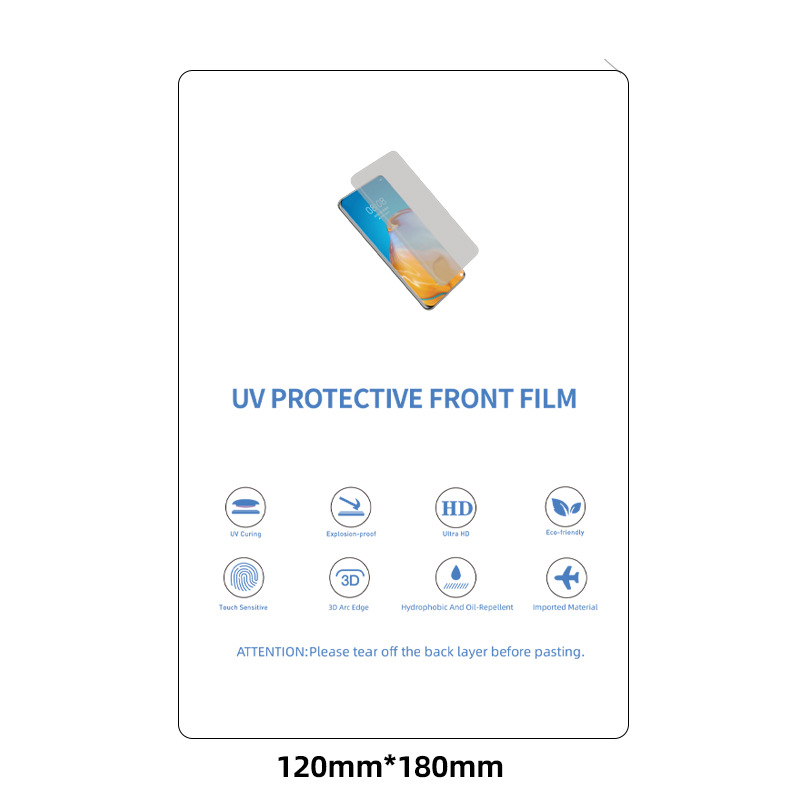
무광택 UV 스크린 보호기
커브드 엣지 스크린에 완벽하게 적합
많은 최신 화면의 곡선형 디자인으로 인해 적합한 보호기를 찾기가 어렵고 가장자리에 틈이 남는 경우가 많습니다. 그러나 UV 스크린 보호기는 기기 화면의 원래 곡률을 반영하도록 미세하게 연마되어 있습니다. 라미네이션에 사용되는 액상 UV 접착제는 화면과 보호기 사이의 매끄러운 결합을 보장하여 틈새를 없애줍니다.
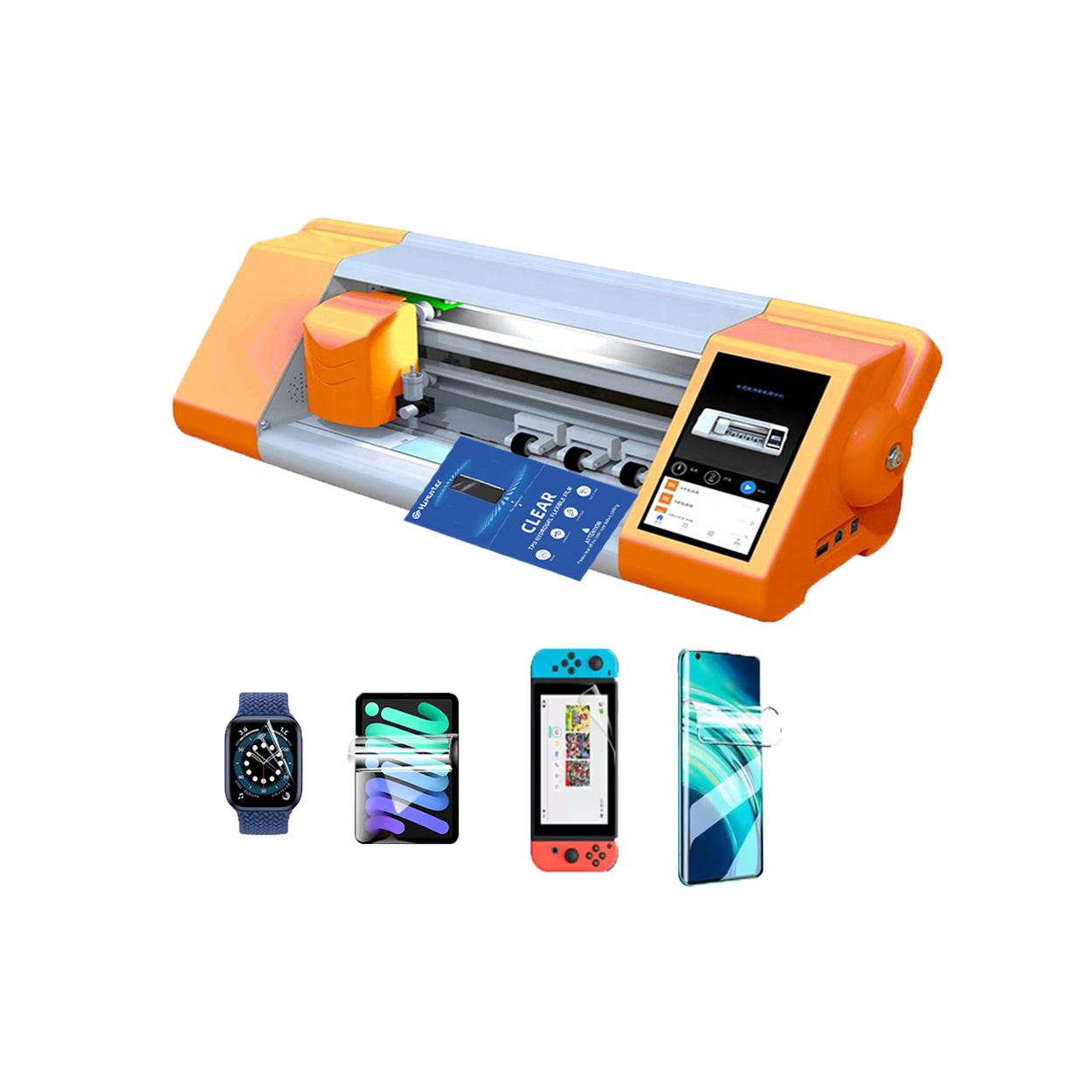
지능형 필름 커팅기
지능형 필름 커팅기는 스마트폰, 태블릿, 노트북 등 다양한 전자제품의 보호 필름을 커팅하도록 설계된 전문 장비입니다. 이 기계는 첨단 기술 시스템을 사용하여 특정 기기 모델에 완벽하게 맞는 정밀한 모양의 필름을 생산합니다.


화면 보호기 커팅기란 무엇인가요?
화면 보호기 커팅기는 스마트폰, 태블릿, 스마트워치, 노트북, 모니터 등 다양한 전자기기에 맞는 맞춤형 화면 보호기를 제작하기 위해 고안된 전문 장비입니다.

휴대폰 화면 보호기 절단기는 어떻게 작동합니까?
휴대폰 화면 보호기 절단기는 다음과 같이 설계된 정교한 장치입니다.
고가의 다양한 디지털 기기를 위한 맞춤형 화면 보호기를 생산합니다.
효율성.

휴대폰 강화 유리 및 휴대폰 TPU 화면 보호기의 특성
열가소성 폴리우레탄(TPU) 화면 보호기는 유연하고 내구성이 뛰어나며
전자 기기 화면을 보호하도록 설계된 자가 치유 플라스틱 필름은 다음과 같습니다.
긁힘, 충격 및 기타 잠재적 손상.

스크린 가드 절단기로 디바이스 보호 혁신
스마트폰, 태블릿, 스마트워치 등 다양한 기기를 사용할 수 있는 다목적 기기입니다. 기기의 크기에 맞춰 매끄럽게 조정되어 일반 보호기는 따라잡을 수 없는 맞춤형 핏을 제공합니다.

화면 보호기 평생 보증
화면 보호기 평생 보증은 제조업체에서 제공하는 보증입니다.
는 특정 이용 약관에 따라 제품 수명 기간 동안 화면 보호기를 수리 또는 교체할 것을 약속합니다.
